Can a Graphic Designer Become a Web Designer? Step-by-Step Guide to Transitioning

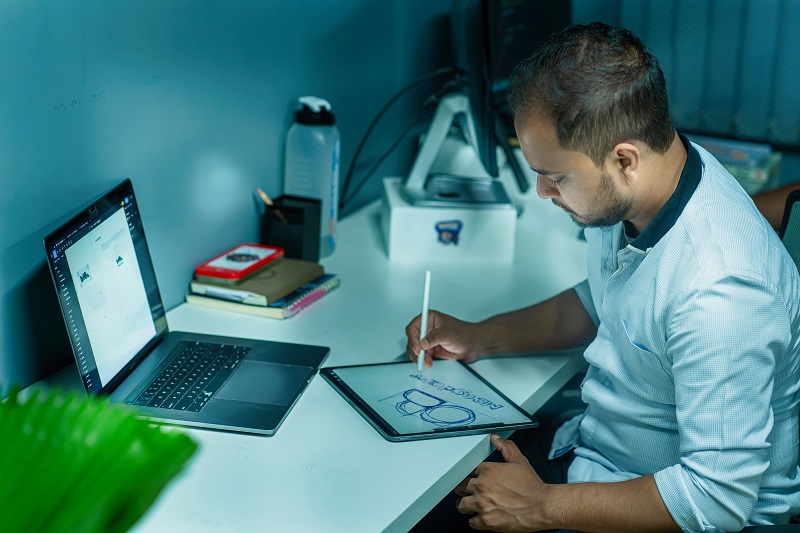
Graphic designer sketching a website layout on a tablet while transitioning into web design.

TL;DR

If you’re wondering, can a graphic designer become a web designer? The answer is yes. Graphic designers already have many of the visual skills needed for web design, including typography, layout, color theory, and branding. The main difference is learning how to design for user interaction, responsive layouts, accessibility, and digital experiences. By building skills in UX, UI, responsive design, and tools like Figma and WordPress, you can confidently transition into web design and unlock exciting new career opportunities.

Graphic design and web design share many of the same creative principles, which is why so many designers successfully move from one field to the other. If you already have experience creating visually appealing designs, you’re much closer to becoming a web designer than you may realize.

The transition is not about abandoning your existing skills or starting your career from scratch. Instead, it’s about expanding your knowledge to design for digital experiences where users click, scroll, interact, and complete tasks. With the right learning path and consistent practice, graphic designers can become highly successful web designers.

This guide explains why the transition makes sense, what new skills you’ll need, which tools to learn, and how to build a portfolio that helps you land web design projects or full-time roles.

Why the Transition From Graphic Design to Web Design Makes Sense

Graphic designers already possess many of the core design principles that make websites visually effective. Understanding how people process visual information is just as important online as it is in print.

Your existing experience likely includes:

  • Visual hierarchy
  • Typography
  • Color theory
  • Layout and composition
  • Branding and identity systems
  • Creative problem-solving
  • Working with client feedback
  • Maintaining consistency across projects

These abilities provide a strong foundation for web design because every successful website depends on clear communication and attractive presentation.

The biggest difference is the medium. Instead of designing static materials like brochures, posters, or packaging, you’ll be creating interfaces that users actively interact with across multiple devices.

Rather than replacing your design knowledge, web design builds on it.

What Graphic Designers Already Bring to Web Design

One of the biggest advantages graphic designers have is an eye for visual communication. Good web design is not simply about adding buttons or arranging sections on a page. It’s about helping visitors quickly understand information while creating a pleasant experience.

As a graphic designer, you’re already familiar with:

  • Creating balanced layouts
  • Selecting readable typefaces
  • Using color strategically
  • Building cohesive brand identities
  • Designing with consistency
  • Solving communication problems visually

You’ll also likely have experience working with clients, handling revisions, and interpreting creative briefs. Those skills transfer directly into web projects, where collaboration and feedback are part of every design process.

Your creative instincts remain valuable. The goal is simply to apply them within a digital environment.

How Web Design Differs From Graphic Design

Although the visual principles overlap, web design introduces an entirely new way of thinking.

Unlike printed materials, websites are interactive. Visitors don’t simply look at them. They scroll through pages, click buttons, fill out forms, watch videos, navigate menus, and complete actions.

Because of this, web designers must think beyond appearance.

Successful web design considers:

  • User behavior
  • Navigation
  • Responsive layouts
  • Accessibility
  • Loading speed
  • Content organization
  • Conversion optimization
  • Mobile usability

A website that looks beautiful but frustrates visitors is ultimately unsuccessful.

Modern web design balances creativity with functionality. The best websites are visually appealing while also making it easy for users to accomplish their goals.

Skills You’ll Need to Learn

The good news is that you don’t need to become a full-stack developer to become a web designer. However, learning several web-specific concepts will dramatically improve your capabilities.

Focus on building these essential skills:

User Experience (UX)

UX focuses on how people interact with a website.

Learn concepts such as:

  • User journeys
  • Information architecture
  • Wireframing
  • Content hierarchy
  • User research
  • Navigation planning

Understanding user behavior allows you to design websites that feel intuitive rather than confusing.

User Interface (UI) Design

UI design focuses on the visual interface itself.

This includes:

  • Buttons
  • Forms
  • Icons
  • Navigation menus
  • Spacing systems
  • Interactive components

UI design builds directly on your graphic design background.

Responsive Design

Today’s websites must work across desktops, tablets, and smartphones.

Responsive design teaches you how layouts adapt to different screen sizes without sacrificing usability.

Learning responsive thinking is one of the biggest shifts for designers coming from print.

Accessibility

Accessible websites are usable by everyone, including people with disabilities.

Important accessibility concepts include:

  • Color contrast
  • Keyboard navigation
  • Readable typography
  • Alt text
  • Proper heading structure
  • Screen reader compatibility

Accessibility is becoming an increasingly important part of professional web design.

Basic HTML and CSS

While you don’t have to become a developer, understanding HTML and CSS makes collaboration with developers much easier.

Knowing how designs translate into code helps you create layouts that are realistic, efficient, and easier to build.

Additional Skills Worth Learning

As your experience grows, consider expanding into:

  • UX and UI design fundamentals
  • Mobile-first design
  • Conversion-focused design
  • Website copy awareness
  • SEO-friendly page structure
  • Collaboration with developers
  • Design systems
  • Component libraries

These skills make you more versatile and valuable in today’s digital marketplace.

Best Tools to Explore

Learning the right software is another important step in your transition.

Figma

Figma has become one of the industry’s most widely used design platforms.

It’s excellent for:

  • Wireframes
  • Website mockups
  • Interactive prototypes
  • Team collaboration
  • Design systems

For many aspiring web designers, Figma should be the first tool to master.

Adobe XD

Adobe XD remains useful, especially if you already work within Adobe Creative Cloud.

Although Figma dominates much of the industry, XD skills are still valuable in many organizations.

Sketch

Sketch continues to be popular among some agencies and Mac-based design teams.

Depending on where you work, it may still be worth learning.

Website Builders and CMS Platforms

Understanding how websites are actually built gives you a significant advantage.

Popular platforms include:

  • WordPress
  • Webflow
  • Shopify

Learning these platforms helps you understand how your designs become functioning websites. It also opens opportunities to complete projects without relying entirely on developers.

The more hands-on experience you gain, the more confident you’ll become.

Step-by-Step Plan to Transition From Graphic Designer to Web Designer

Trying to learn everything at once can feel overwhelming. Instead, focus on building your knowledge step by step.

1. Understand the Difference Between Print and Web

Start by learning how digital experiences differ from printed materials.

Pay attention to:

  • Responsive layouts
  • User interaction
  • Navigation
  • Scrolling behavior
  • Digital content flow

2. Learn Web Design Fundamentals

Develop a strong understanding of:

  • UX
  • UI
  • Responsive design
  • Accessibility
  • Information architecture

These concepts form the backbone of professional web design.

3. Practice With Modern Design Tools

Create wireframes, mockups, and prototypes using Figma or similar software.

The more projects you complete, the more natural digital design becomes.

4. Analyze Real Websites

Study successful websites every day.

Notice how they:

  • Organize content
  • Guide attention
  • Structure navigation
  • Encourage conversions
  • Create visual hierarchy

Learning from existing designs accelerates your growth.

5. Redesign Existing Websites

Choose simple websites and redesign them for practice.

This exercise helps you solve real usability problems while building portfolio-worthy work.

6. Create Personal Projects

If you don’t have clients yet, create realistic concept projects.

Ideas include:

  • Restaurant websites
  • Law firm websites
  • Local service businesses
  • Personal portfolios
  • Nonprofit organizations
  • Landing pages
  • Product pages

Treat these projects like real client work.

7. Learn Website Platforms

Spend time working with:

  • WordPress
  • Webflow
  • Shopify

Understanding website platforms gives you practical knowledge that employers value.

8. Build a Strong Portfolio

Your portfolio should demonstrate more than attractive visuals.

Show your complete process, including:

  • Research
  • Wireframes
  • Design decisions
  • Mockups
  • Mobile versions
  • Final interface

Employers appreciate seeing how you think, not just what you create.

9. Work With Real Clients

Start with small opportunities.

You might offer services to:

  • Local businesses
  • Friends
  • Community organizations
  • Nonprofits
  • Freelance clients

Real-world experience builds confidence quickly.

10. Continue Improving

Web design evolves constantly.

Stay current by:

  • Following design trends
  • Reading UX articles
  • Studying successful websites
  • Gathering client feedback
  • Improving your portfolio
  • Practicing consistently

Continuous learning is one of the biggest factors in long-term success.

Portfolio Tips for Aspiring Web Designers

Your portfolio is often the deciding factor when applying for jobs or pitching freelance clients.

Instead of showing only polished screens, demonstrate your thinking throughout each project.

Include:

  • Desktop layouts
  • Mobile designs
  • Responsive behavior
  • Wireframes
  • User flows
  • Design rationale
  • Before-and-after improvements
  • Problem-solving explanations

For every project, briefly explain:

  1. The problem.
  2. Your design approach.
  3. Why you made specific decisions.
  4. The final outcome.

Even concept projects can impress employers if they feel realistic and demonstrate thoughtful design.

Quality matters far more than quantity.

Common Mistakes to Avoid

Many graphic designers make the same mistakes when entering web design. Avoiding these early can speed up your progress.

Designing for Appearance Instead of Usability

A website should do more than look attractive.

Visitors need to easily:

  • Find information
  • Navigate pages
  • Read content
  • Complete actions

Always design with the user in mind.

Ignoring Mobile Design

Many users browse primarily on smartphones.

If your designs only work on large desktop screens, they’ll struggle in real-world situations.

Waiting Until You Feel “Ready”

Perfection often delays progress.

The fastest way to improve is by creating projects, gathering feedback, and refining your skills over time.

Learning Too Many Tools at Once

You don’t need to master every design application immediately.

Start with essential tools like Figma, then gradually expand your skill set as your experience grows.

Career Opportunities in the U.S.

Learning web design can significantly expand your career options.

Possible paths include:

  • In-house web designer
  • Freelance web designer
  • Agency web designer
  • UI designer
  • UX designer
  • Digital designer
  • Creative designer
  • Website strategist
  • Product designer
  • Creative director

Many businesses actively seek professionals who understand both branding and digital experiences.

By combining graphic design expertise with web design skills, you become a more versatile creative professional who can contribute throughout an entire digital project.

This broader skill set can increase your value to employers, agencies, startups, and freelance clients alike.

Final Takeaway

So, can a graphic designer become a web designer? Absolutely.

Graphic designers already possess many of the creative foundations needed to succeed in web design. Skills like typography, composition, branding, color theory, and visual hierarchy translate naturally into designing effective websites. The key is expanding your expertise to include user experience, responsive design, accessibility, and an understanding of how websites function in the real world.

Take your transition one step at a time. Learn modern design tools, practice with realistic projects, study successful websites, and build a portfolio that showcases both your creativity and your problem-solving process. You do not need to learn everything overnight. Consistent practice and steady improvement will take you much further than trying to master every skill at once.

Whether your goal is freelancing, joining a creative agency, working in-house, or moving into UI or UX design, web design opens the door to exciting new opportunities. Start building your digital skills today, continue refining your portfolio, and embrace the learning process. With persistence and curiosity, you can confidently expand your creative career and thrive in the growing world of web design.

This post is generated by Chatgpt.
Is Web Design Harder Than Graphic Design? Which One Really Wins?

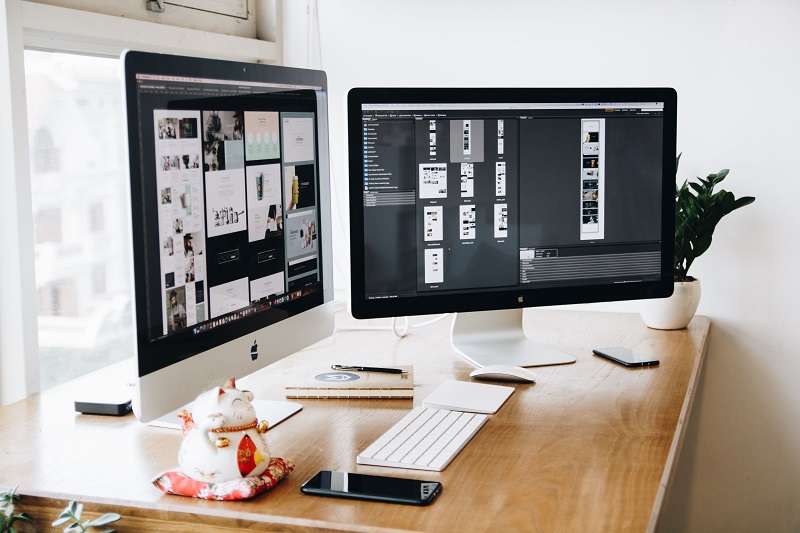
Web design workspace with dual monitors displaying UI layouts for web design and graphic design projects.

TL;DR

If you’re trying to decide whether web design or graphic design is harder, the short answer is that there is no universal winner. Each discipline presents its own unique challenges.

Here are the key takeaways:

  • Web design is generally more challenging when technical skills, responsive layouts, accessibility, user experience, and continuous updates are involved.
  • Graphic design becomes more demanding when visual precision, typography, branding, print production, and color accuracy are essential.
  • Both careers require creativity, problem-solving, communication, and continuous learning.
  • Your ideal path depends less on which field is “harder” and more on the type of challenges you enjoy solving.

If you enjoy creating interactive digital experiences and thinking through user journeys, web design may be the better fit. If you love visual storytelling, branding, and creating memorable designs, graphic design could be the stronger choice.


Is Web Design Harder Than Graphic Design? A Complete Comparison

Introduction

Is web design harder than graphic design? It is one of the most common questions asked by aspiring designers, career changers, and even experienced creatives looking to specialize.

The truth is that both fields require a combination of creativity, technical ability, and problem-solving. However, they apply those skills in very different ways.

Web design focuses on creating digital interfaces that people interact with on websites and applications. Designers must think about usability, responsiveness, accessibility, and how every element functions across different devices.

Graphic design, on the other hand, is centered around visual communication. It involves creating logos, marketing materials, packaging, advertisements, posters, brochures, and other visual assets that communicate messages while strengthening a brand’s identity.

By the end of this guide, you’ll have a clear understanding of where each discipline is most challenging and which path may be the better fit for your interests and career goals.


Technical Skills and Tools

One of the biggest differences between web design and graphic design lies in the technical skills each profession demands.

Why Web Design Can Be More Technical

Web designers often work alongside developers and frequently need a solid understanding of how websites function behind the scenes. While not every web designer writes code every day, knowing the basics makes collaboration much easier and allows designers to solve common issues independently.

Important skills often include:

  • HTML
  • CSS
  • Basic JavaScript
  • Responsive design principles
  • UI frameworks
  • Design-to-development handoff tools
  • Performance optimization

For example, creating a responsive navigation menu that smoothly collapses on mobile devices may sound simple, but it requires careful planning. The design must remain accessible, load quickly, function across different browsers, and work well on screens of every size.

Troubleshooting becomes another challenge. A layout that works perfectly in one browser may unexpectedly break in another, forcing designers to test, debug, and refine their work.

Why Graphic Design Requires Deep Creative Expertise

Graphic designers rely heavily on professional creative software such as Adobe Photoshop, Illustrator, and InDesign.

Success requires mastering topics like:

  • Typography
  • Color theory
  • Layout composition
  • Print production
  • Color management
  • Export settings
  • Brand consistency

Consider the challenge of preparing a multi-page brochure for offset printing. Every page must follow strict brand guidelines while maintaining perfect typography, accurate color reproduction, proper bleed settings, and printer specifications. Small mistakes can become expensive once thousands of copies are printed.

When Web Design Is Harder

Web design becomes more demanding when you must troubleshoot browser compatibility issues, optimize loading speed, and balance responsiveness with accessibility.

When Graphic Design Is Harder

Graphic design becomes especially challenging when coordinating with printers and ensuring perfect color fidelity for large-scale branding campaigns.


Constraints and Rules

Every design discipline comes with limitations that professionals must respect.

Web Design Constraints

Unlike static artwork, websites must function properly across many different environments.

Web designers regularly account for:

  • Different browsers
  • Multiple screen sizes
  • Mobile responsiveness
  • Accessibility standards
  • Keyboard navigation
  • Screen readers
  • Slow internet connections
  • Performance budgets

For example, designing an accessible modal window involves much more than making it visually attractive. Users must be able to navigate it using only a keyboard, assistive technologies need to interpret it correctly, and it must still provide a smooth user experience.

Meeting these standards requires extra planning, testing, and refinement.

Graphic Design Constraints

Graphic designers work under a different set of technical rules.

These often include:

  • RGB versus CMYK color profiles
  • Print bleed requirements
  • DPI settings
  • Paper selection
  • Typography readability
  • Production specifications

Printed mistakes can be particularly costly because errors often cannot be corrected after production begins.

Imagine designing a logo that looks vibrant on a computer monitor but loses contrast when printed on textured packaging. Even a beautifully designed logo can fail if production requirements are overlooked.

When Web Design Is Harder

Managing accessibility requirements while maintaining excellent performance on a large website often creates significant complexity.

When Graphic Design Is Harder

Achieving perfect color consistency across an expensive print run demands exceptional attention to detail and production knowledge.


Iteration Speed and Feedback Loops

The way designers receive feedback also differs dramatically between these two careers.

Web Design Evolves Constantly

Websites rarely stay finished for long.

Teams can:

  • Publish updates immediately
  • Run A/B tests
  • Collect user analytics
  • Improve conversion rates
  • Respond to user behavior

This rapid feedback loop allows continuous improvement, but it also creates constant pressure to keep refining products. Designers often work through frequent releases and ongoing updates rather than completing one final version.

Graphic Design Has Higher-Stakes Revisions

Graphic design projects usually move through fewer revision cycles, but every revision may carry greater weight.

Clients often review:

  • Brand presentations
  • Print proofs
  • Packaging samples
  • Marketing materials

Feedback can be highly subjective, and a single requested change may require reworking multiple layouts, adjusting typography, updating linked files, and exporting several formats again.

Physical proofs and approval processes can significantly extend project timelines.

When Web Design Is Harder

Managing constant user feedback while maintaining consistency across frequent releases creates an ongoing challenge.

When Graphic Design Is Harder

Long approval cycles and high-budget print projects increase pressure because every revision can affect production costs and deadlines.


Problem Types and Overall Scope

Although both careers involve design thinking, the types of problems they solve are fundamentally different.

Web Design Solves Interactive Problems

Web designers think beyond individual screens.

Their work includes:

  • User journeys
  • Information architecture
  • Microinteractions
  • Navigation systems
  • User flows
  • Interface states
  • Conversion optimization

For example, designing an effective checkout process requires mapping validation messages, payment steps, trust signals, loading states, and error handling while minimizing cart abandonment.

Every interaction influences the user’s experience.

Graphic Design Solves Visual Communication Problems

Graphic designers focus on communicating messages as clearly and effectively as possible through visual elements.

This includes:

  • Brand identity
  • Composition
  • Visual hierarchy
  • Typography
  • Marketing campaigns
  • Packaging
  • Advertising

A poster, for example, must capture attention instantly while remaining readable from different distances and under varying lighting conditions.

These are highly specialized visual communication challenges.

When Web Design Is Harder

Complex websites require system-wide thinking that spans multiple pages, interactions, and user scenarios.

When Graphic Design Is Harder

Building a memorable brand identity that performs consistently across print, packaging, advertising, and digital assets requires exceptional creative consistency.


Learning Curve and Career Paths

Both careers require years of practice, but their learning paths look quite different.

Learning Web Design

Web design generally has a steeper technical learning curve, especially for designers who want to work closely with developers or eventually become front-end developers.

Fortunately, today’s learning resources make the journey much more approachable.

Helpful resources include:

  • Online courses
  • Design systems
  • Interactive coding tutorials
  • Community forums
  • Development documentation

Common career paths include:

  • UI Designer
  • UX Designer
  • Product Designer
  • Front-End Developer

Learning Graphic Design

Graphic design emphasizes visual mastery over programming knowledge.

Students spend significant time developing expertise in:

  • Typography
  • Color theory
  • Layout design
  • Branding
  • Visual storytelling
  • Print production

Many graphic designers also find it relatively straightforward to begin freelancing because businesses frequently need logos, social media graphics, brochures, and marketing materials.

The core skills also transfer well between industries.

When Web Design Is Harder

Web design becomes more demanding if your goal includes coding, product design, or working closely with software development teams.

When Graphic Design Is Harder

Graphic design requires considerable dedication if you want to master advanced typography, premium branding, or professional print production.


Common Misconceptions About Both Fields

Many people misunderstand what designers actually do.

Let’s clear up a few common myths.

“Design Is Just Making Things Look Good”

False.

Good design solves problems, communicates information clearly, guides user behavior, and supports business goals.

Visual appeal is only one piece of the puzzle.

“Web Designers Must Be Expert Programmers”

Not necessarily.

Many web designers collaborate closely with developers and rely on no-code platforms, prototyping software, or visual builders. However, understanding HTML, CSS, and basic JavaScript remains extremely valuable for communication and troubleshooting.

“Graphic Design Is Easier Because It Is Static”

Also false.

Static designs often require precise technical execution, extensive creative thinking, and production expertise where even minor mistakes can become expensive.


Practical Tips for Choosing Between Web Design and Graphic Design

If you’re still unsure which direction to pursue, these practical tips can help.

Learn the Fundamentals of Both

Core design principles such as hierarchy, spacing, composition, typography, and color theory benefit both disciplines.

Build a Focused Portfolio

Instead of showcasing dozens of average projects, create six to twelve high-quality case studies.

Explain:

  • The problem
  • Your design process
  • The final solution
  • The results

Employers and clients appreciate thoughtful problem-solving just as much as attractive visuals.

Prioritize the Right Skills

If you’re leaning toward web design, begin with:

  • HTML
  • CSS
  • Responsive design
  • UI design
  • Accessibility basics

If you’re leaning toward graphic design, start with:

  • Typography
  • Color theory
  • Composition
  • Branding
  • Print fundamentals

Take on Small Freelance Projects

Real client work teaches lessons that tutorials cannot.

Small projects help you understand pricing, communication, deadlines, revisions, and client expectations before committing to full-time freelancing.

Connect With Both Communities

Attend local design meetups, participate in online communities, ask for feedback, and learn from experienced professionals.

Networking often opens doors to mentorship, freelance work, and full-time opportunities.

Consider Hybrid Roles

Many agencies and studios value designers who can contribute to both branding and digital product design.

Having skills in both web design and graphic design can significantly increase your career flexibility and make you more competitive in the job market.


Final Verdict: Which One Wins?

So, is web design harder than graphic design?

The most accurate answer is that neither discipline universally wins because each presents different kinds of challenges.

Web design often feels harder when technical constraints, accessibility standards, responsive layouts, browser compatibility, and continuous product improvements become the primary focus.

Graphic design often becomes more demanding when projects require flawless typography, precise print production, exceptional color accuracy, and high-quality brand identity work that must perform consistently across many different materials.

Rather than asking which career is harder, ask yourself which problems you enjoy solving.

If you enjoy building interactive experiences, improving usability, and thinking through systems and user flows, web design is likely the better fit.

If you’re passionate about visual storytelling, branding, typography, and creating memorable designs that communicate instantly, graphic design may be the ideal path.

Ultimately, both careers are rewarding, creative, and full of opportunities for growth. The best choice is the one that aligns with your interests, strengths, and long-term goals. Invest time in learning the fundamentals, build a strong portfolio, gain real-world experience, and continue refining your skills. Whether you choose web design, graphic design, or a combination of both, consistent practice and curiosity will have a far greater impact on your success than which field is considered harder.

This post is generated by Chatgpt.

10 Landing Page Design Best Practices That Boost Conversions

Team reviewing landing page design on laptop screen to improve conversion rate and user experience in a modern office setting

1. Focus on One Clear Goal

A high converting landing page should do one thing really well. That means one offer, one primary message, and one main call to action. When visitors immediately understand what is expected of them, they are far more likely to take action.

Too many choices create hesitation and confusion. If your page promotes a webinar, for example, every single element should gently guide the visitor toward registration. Remove extra navigation links, unnecessary buttons, and distracting offers that pull attention away from the main goal. The more focused the page, the stronger the conversion flow.


2. Write a Strong Headline

Your headline is the very first thing people notice, so it has to instantly grab attention and communicate value. A strong headline quickly explains what the page offers and why it matters in a way that feels clear and compelling.

Instead of something vague like โ€œWelcome to Our Solution,โ€ use something more direct and benefit driven like โ€œBuild a Landing Page That Converts More Visitors in Less Time.โ€ That kind of clarity helps visitors immediately understand what they will gain, which keeps them engaged and encourages them to keep scrolling.


3. Match the Message to the Ad

Message match is all about consistency. Your landing page should feel like a natural continuation of the ad, email, or social post that brought the visitor there in the first place. If someone clicks on an ad promising a free guide, the landing page should immediately reinforce that exact offer.

This builds trust instantly and reduces confusion. When wording, visuals, and tone all align with expectations, visitors feel reassured and stay longer. On the other hand, even a small mismatch can make the page feel disconnected, which often leads to quick exits.


4. Keep the Layout Simple

Simple design almost always performs better than cluttered design. A clean layout helps visitors focus on what truly matters, which is your offer and your call to action. White space, clear section breaks, and a logical flow all reduce cognitive load.

Think of your landing page as a guided experience. Each section should gently move the visitor forward without overwhelming them with too much information at once. If the page feels crowded or confusing, users may leave before they ever reach the action step.


5. Use a Strong Call to Action

Your call to action should be obvious, clear, and action oriented. Instead of generic text like โ€œSubmit,โ€ use more engaging phrases such as โ€œGet My Free Quoteโ€ or โ€œStart My Free Trial.โ€ This tells users exactly what will happen when they click.

Visibility matters just as much as wording. Make your CTA stand out with strong contrast, proper spacing, and repetition throughout longer pages. The easier it is to find and understand the next step, the more likely users are to take it confidently.


6. Add Social Proof

People naturally look for proof before making decisions. Testimonials, reviews, client logos, ratings, and short case study highlights can all help reassure visitors that your offer is legitimate and valuable.

Social proof works because it shows real people have already had a positive experience. In many cases, a short and authentic customer quote with a name and company can be more powerful than a highly polished marketing statement. The more real and specific it feels, the more persuasive it becomes.


7. Optimize for Mobile

A large portion of your audience will likely visit your landing page from a mobile device, which makes mobile optimization absolutely essential. If users struggle on their phone, conversions drop quickly.

Buttons should be easy to tap, text should be readable without zooming, and forms should feel quick and simple to complete. Keep key information near the top so visitors immediately understand the offer without excessive scrolling. A smooth mobile experience should feel fast, clean, and effortless from start to finish.


8. Improve Page Speed

Page speed has a direct impact on user behavior and conversion rates. If a landing page loads slowly, many visitors will leave before they even see what you are offering. Fast pages create stronger first impressions and maintain user attention.

To improve performance, compress images, reduce unnecessary scripts, and avoid overly heavy design elements. Even small delays can reduce conversions, especially when users arrive from paid ads and expect instant answers.


9. Keep Forms Short

Long forms are one of the fastest ways to lose potential leads. The more fields you ask people to fill out, the more effort you require, and the lower your conversion rate can become.

Only ask for the information you truly need at this stage. For most lead generation pages, name and email are often enough. You can always collect additional details later in the process. Short forms feel easier, faster, and far less intimidating, which leads to higher completion rates.


10. Test, Measure, and Improve

No landing page is perfect from day one. Testing allows you to understand what actually resonates with your audience. This can include experimenting with different headlines, CTA button text, images, layouts, or form lengths.

Small adjustments can lead to meaningful improvements over time. The most effective marketers treat landing pages as evolving assets rather than one time projects. By reviewing data, identifying drop off points, and making ongoing improvements, you turn guesswork into consistent growth.


Final Takeaway

A high performing landing page is not about flashy visuals or complex design tricks. It is about clarity, trust, focus, and a smooth path toward action. When your messaging is strong and your layout is simple, visitors naturally feel more confident moving forward.

The best part is that you do not need to start from scratch. Even small, targeted improvements can make a noticeable difference in conversion rates. Focus first on the areas that create friction, then continue refining based on real user behavior. Over time, those steady improvements can transform your landing page into a powerful conversion machine.

What Is Web Design VS Graphic Design?

Photo by Tranmautritam

Web design and graphic design are two distinct but related fields that are often confused with one another. While both fields are concerned with creating visual and graphical elements for digital and print media, there are some key differences between the two.

Graphic design is the process of creating visual content for various mediums, including print, digital, and advertising. Graphic designers use various design tools, such as Adobe Illustrator, Photoshop, and InDesign, to create logos, brochures, business cards, and other visual elements. Graphic design is focused on creating visually appealing and aesthetically pleasing designs that can be used to convey a message or tell a story.

Web design, on the other hand, is specifically focused on designing and developing websites. Web designers use a variety of tools, including HTML, CSS, and JavaScript, to create dynamic, interactive, and responsive websites that are optimized for both desktop and mobile devices. Web design also involves the creation of user interfaces, site maps, and wireframes to ensure that the website is easy to navigate and use.

One of the key differences between web design and graphic design is the medium in which they are used. Graphic design is often used in print media, such as magazines, newspapers, and books, while web design is used to create websites and other digital media.

Another difference between the two is the type of skills required. While graphic designers need to have a strong understanding of color theory, typography, and composition, web designers must also have a strong understanding of coding and programming languages, as well as an understanding of user experience (UX) design and user interface (UI) design.

In addition, the end goal of web design and graphic design can also be different. Graphic design is often focused on creating visually appealing designs that can be used to convey a message or tell a story, while web design is focused on creating a functional, user-friendly, and accessible website that meets the needs of the target audience.

It’s also worth noting that some designers specialize in both web design and graphic design, while others may focus solely on one or the other. Some designers may even specialize in a specific aspect of web design, such as front-end development or UX design.

Web design and graphic design are two separate but related fields in the world of digital design. While they share some similarities, they are also distinct in their own ways.

Graphic design is a broader field that encompasses many different types of design, including web design. Graphic designers create visual content for a variety of mediums, including print materials, logos, packaging, and advertising. They focus on creating aesthetically pleasing designs that communicate a specific message.

Web design, on the other hand, is a specific type of graphic design that focuses on creating user-friendly and functional websites. Web designers must consider factors such as website navigation, layout, and functionality to create a website that is both visually appealing and easy to use. They also need to take into account the technical aspects of website design, such as coding and web development.

Another key difference between web design and graphic design is the medium in which they work. Web designers work primarily on digital platforms, while graphic designers may work in a variety of mediums, including print materials and even 3D design.

In terms of skills and tools, web designers must have a strong understanding of HTML, CSS, and JavaScript, as well as graphic design software such as Adobe Photoshop and Illustrator. Graphic designers may also use these tools, but may also use other mediums and techniques, such as hand drawing or 3D modeling.

Additionally, the audience for web design and graphic design is different. Web designers create websites that are meant to be viewed on a variety of devices, including desktop computers, laptops, and mobile devices. Graphic designers create designs that may be viewed in print or on a computer screen, but their audience is typically more limited. Web designers must take into account the different screen sizes and resolutions that their audience may be using, and create websites that are optimized for each of these.

Another factor to consider is the level of interactivity. Web design allows for much more interactivity than graphic design, as websites can include interactive elements such as buttons, forms, and animations. Graphic design, on the other hand, is typically a more static form of design, with limited interactivity.

When it comes to the creative process, web design and graphic design also have some differences. Web designers must consider the functionality of their designs, and how they will be implemented on a website. This means that they need to have a solid understanding of the technical aspects of website design, such as coding and web development. Graphic designers, on the other hand, may have more freedom to focus purely on the aesthetic aspects of their designs.

Another key difference between web design and graphic design is the level of specialization required. Web design is a highly specialized field that requires a strong understanding of the technical aspects of website design, as well as an eye for aesthetics. Graphic design, on the other hand, is a more broad field that can encompass many different types of design, from print design to branding.

In terms of tools and software, web design and graphic design also have some differences. Web designers typically use software such as Adobe Dreamweaver, Sketch, or Figma to create their designs, while graphic designers may use Adobe Illustrator, Photoshop, or InDesign. It is important for anyone entering the field of digital design to understand the different software and tools available, and to choose the ones that are most relevant to their specific career goals.

In conclusion, while web design and graphic design share some similarities, they are two distinct fields with their own unique sets of skills, tools, and goals. Whether you’re looking to become a web designer, graphic designer, or a specialist in one aspect of either field, it’s important to understand the key differences between the two so that you can make an informed decision about your career path.